Solution

1.1 Google Cloud & GKE - Completed Badges
Completed badges via Google Skills:



1.2 Kubernetes
Assignment 1 - Cluster Installation
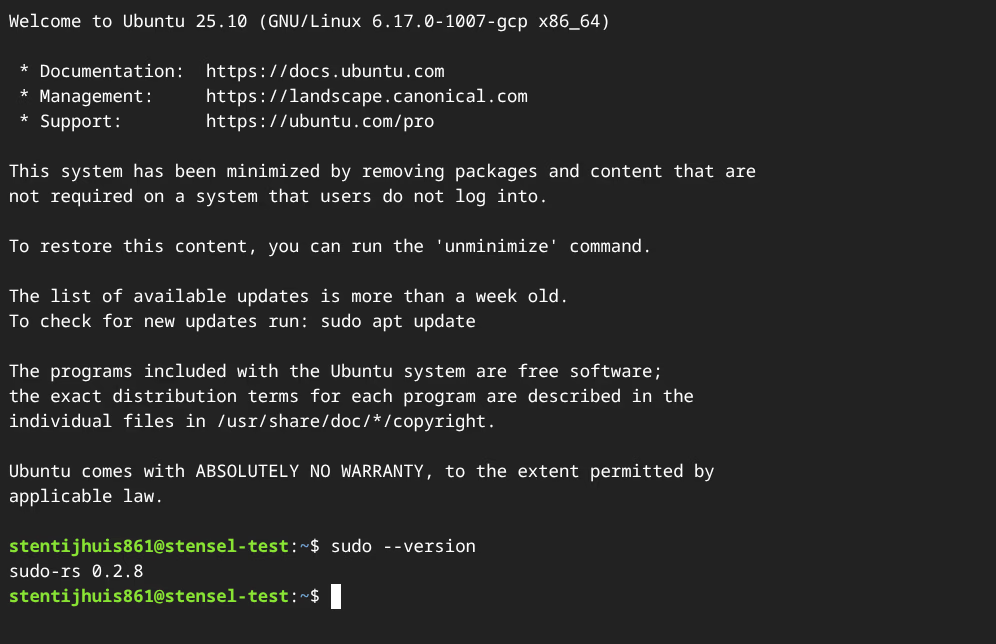
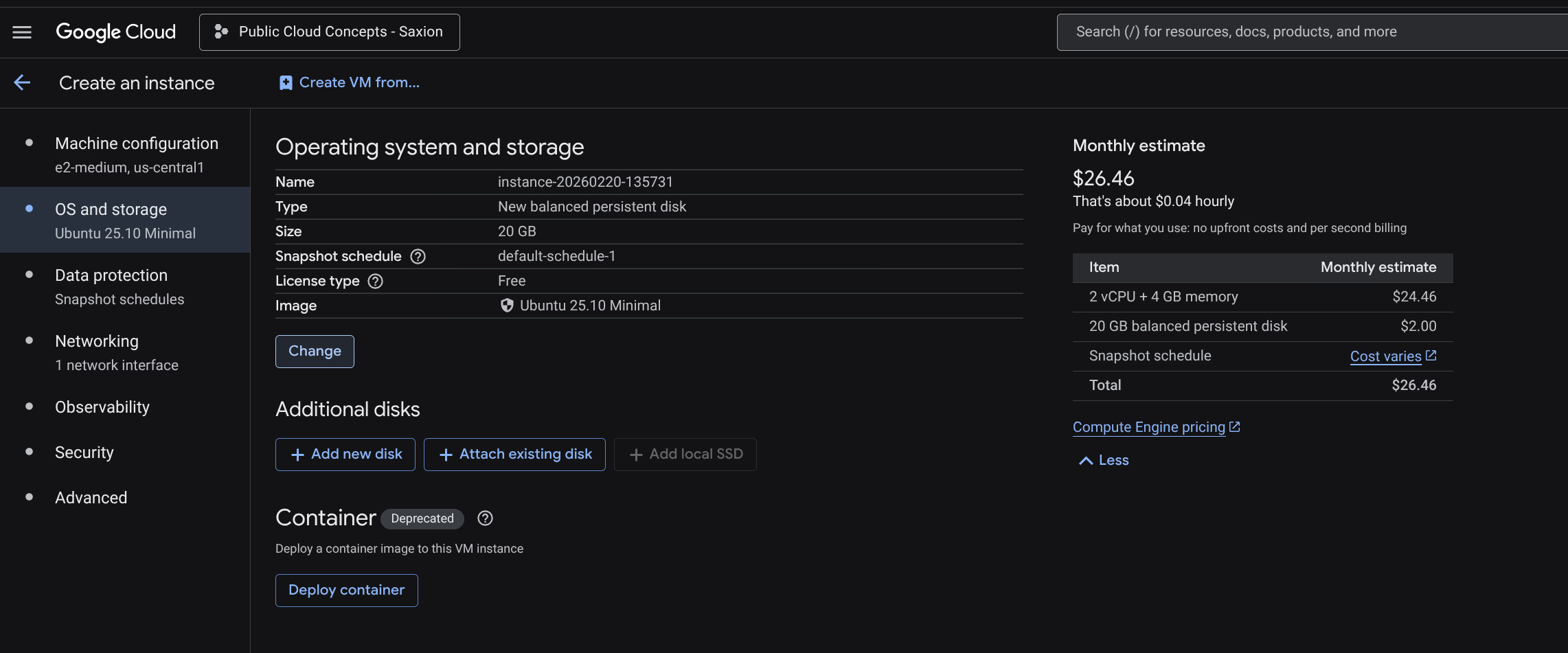
The assignment specifies Ubuntu 24.04 LTS minimal. I used Ubuntu 25.10 LTS minimal.
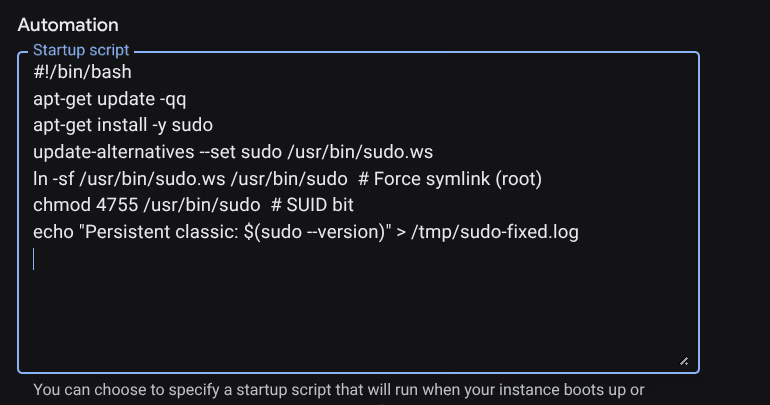
Ubuntu 25.10 ships with sudo-rs (a Rust reimplementation of sudo) version 0.2.8 by default. This version has a known session bug where sudo reboot fails with an unexpected error. Solved via a GCP startup script that installs classic sudo on every boot.

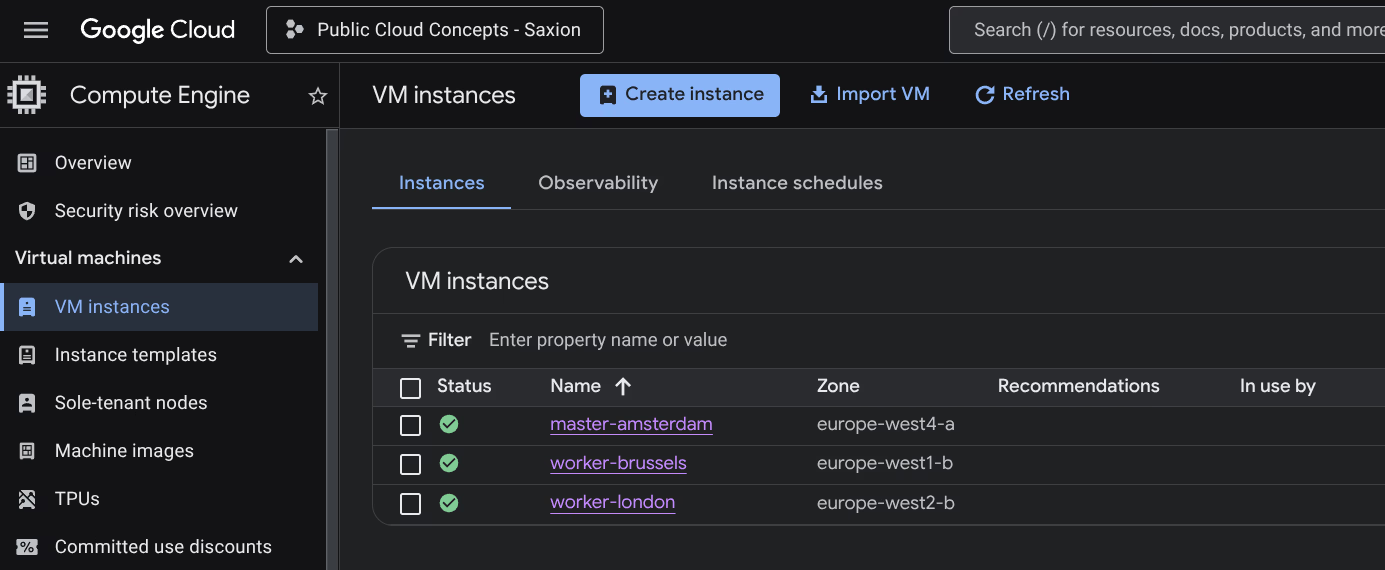
Instances used:
| Node | Name | Zone | Type | OS |
|---|---|---|---|---|
| Master | master-amsterdam | europe-west4-a (Netherlands) | e2-medium | Ubuntu 25.10 LTS minimal |
| Worker 1 | worker-brussels | europe-west1-b (Belgium) | e2-medium | Ubuntu 25.10 LTS minimal |
| Worker 2 | worker-london | europe-west2-b (United Kingdom) | e2-medium | Ubuntu 25.10 LTS minimal |
The cluster was installed with two shell scripts: configure_master.sh for the master node and configure_worker.sh for the worker nodes. These scripts automate kernel module configuration, installing containerd, Kubernetes package installation (v1.35), and cluster initialisation.

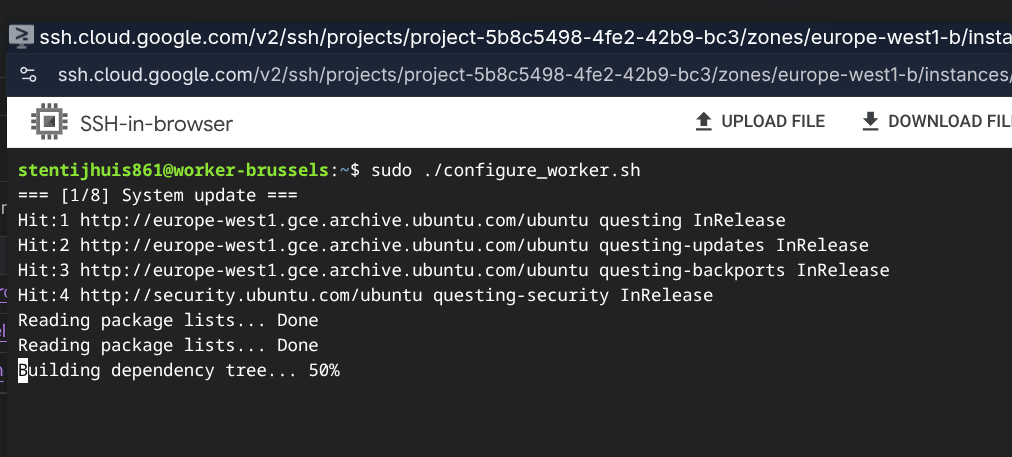
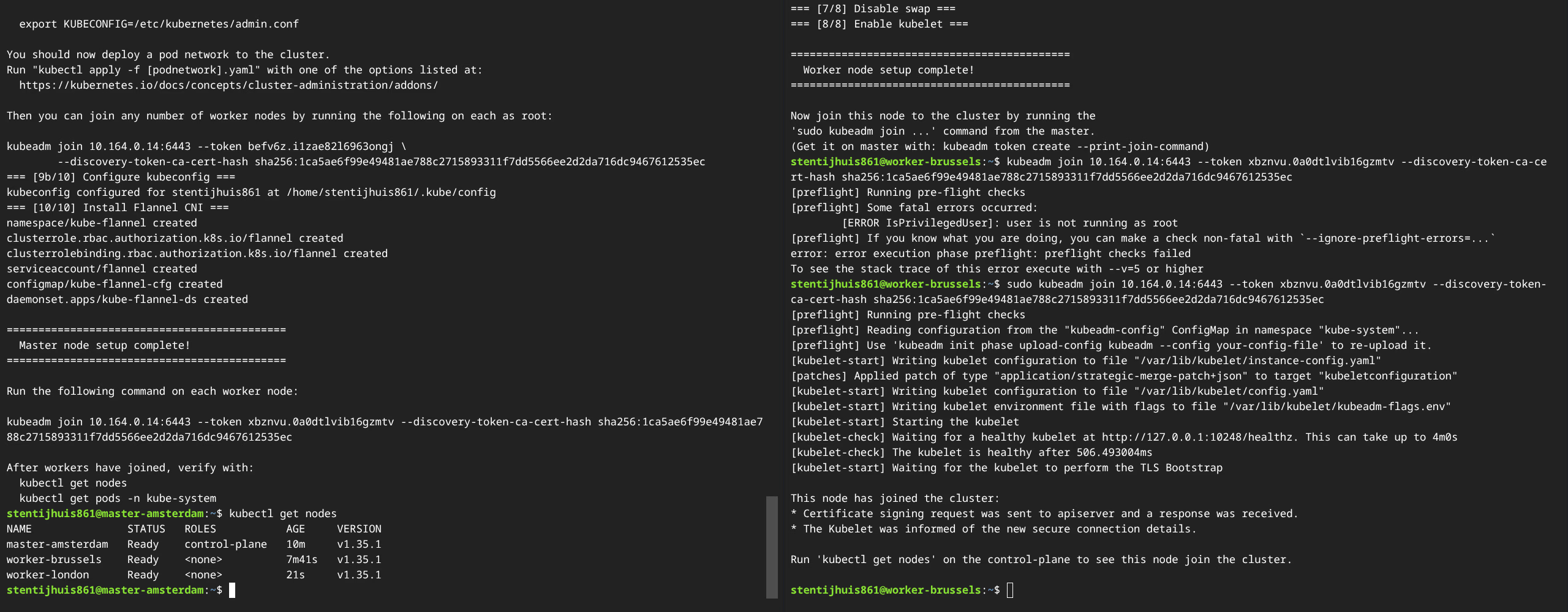
Explanation of kubeadm init:
kubeadm init sets up the Kubernetes control plane on the master node. It generates TLS certificates, writes kubeconfig files, creates static Pod manifests for core components (kube-apiserver, kube-controller-manager, kube-scheduler, etcd), and generates a bootstrap token for worker nodes.
Explanation of kubectl apply -f kube-flannel.yml:
Installs Flannel as the CNI plugin. Flannel creates a VXLAN overlay network that gives each pod a unique IP, so pods on different nodes can communicate directly. The CIDR 10.244.0.0/16 must match the --pod-network-cidr of kubeadm init.
Other network CNIs:
| CNI | Description |
|---|---|
| Flannel | Simple L3 overlay network via VXLAN. No network policy support. |
| Calico | BGP routing with full NetworkPolicy support. Widely used in production. |
| Cilium | eBPF-based CNI with advanced observability and security. |
| Weave Net | Mesh overlay network, simple installation, supports NetworkPolicy. |
| Canal | Combines Flannel (networking) with Calico (network policy). |
1a - kubectl get nodes:
NAME               STATUS   ROLES           AGE    VERSION
worker-brussels    Ready    <none>          14m    v1.35.1
worker-london      Ready    <none>          7m     v1.35.1
master-amsterdam   Ready    control-plane   17m    v1.35.1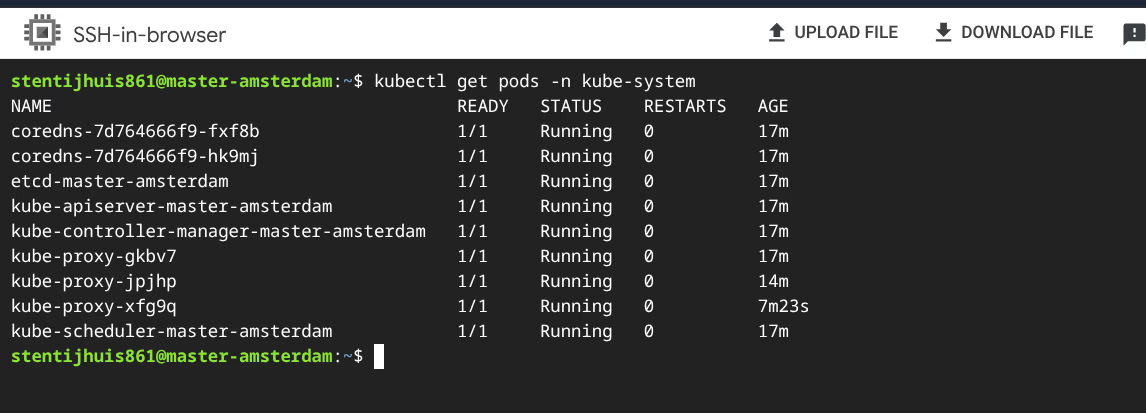
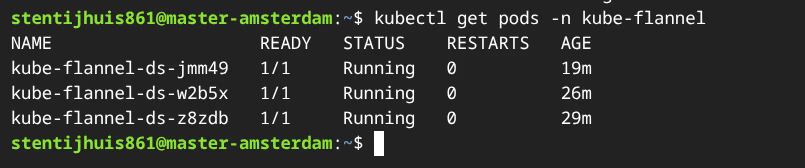
Explanation of the kube-system pods:
| Pod | Role |
|---|---|
kube-apiserver | Front-end of the control plane. All kubectl commands and internal components go through this REST API. Master only. |
kube-controller-manager | Runs all controller loops: correct number of pod replicas, node lifecycle, certificate rotation. Master only. |
kube-scheduler | Watches for unscheduled pods and assigns them to a suitable node. Master only. |
etcd | Distributed key-value store holding the complete cluster state. Master only. |
kube-proxy | Manages iptables/nftables rules so Service IPs route correctly to pods. One pod per node. |
coredns | Cluster-internal DNS. Two replicas for redundancy. |
Assignment 2 - Containerised Application
Dockerfile: (view on GitHub)
- Alpine variant chosen deliberately: ~5 MB vs ~180 MB Debian, smaller attack surface.
- Copies the website to the nginx document root.
- Starts nginx in the foreground so the container stays active.
GitHub Actions workflow:
The workflow (ci_week1.yml) builds and pushes the image as stensel8/public-cloud-concepts:latest on every push to main.
deployment.yaml: (view on GitHub)
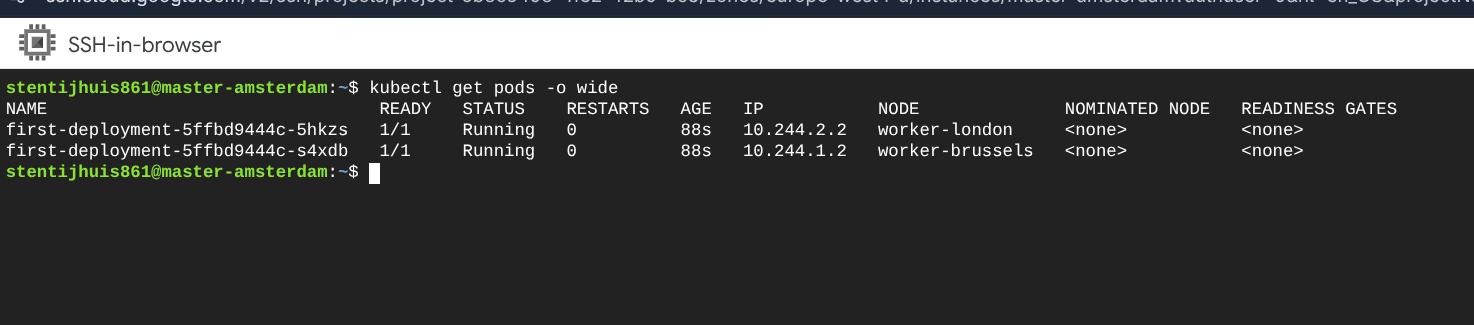
2b - Pod IPs:
NAME                               IP           NODE
first-deployment-5ffbd9444c-5hkzs  10.244.2.2   worker-london
first-deployment-5ffbd9444c-s4xdb  10.244.1.2   worker-brussels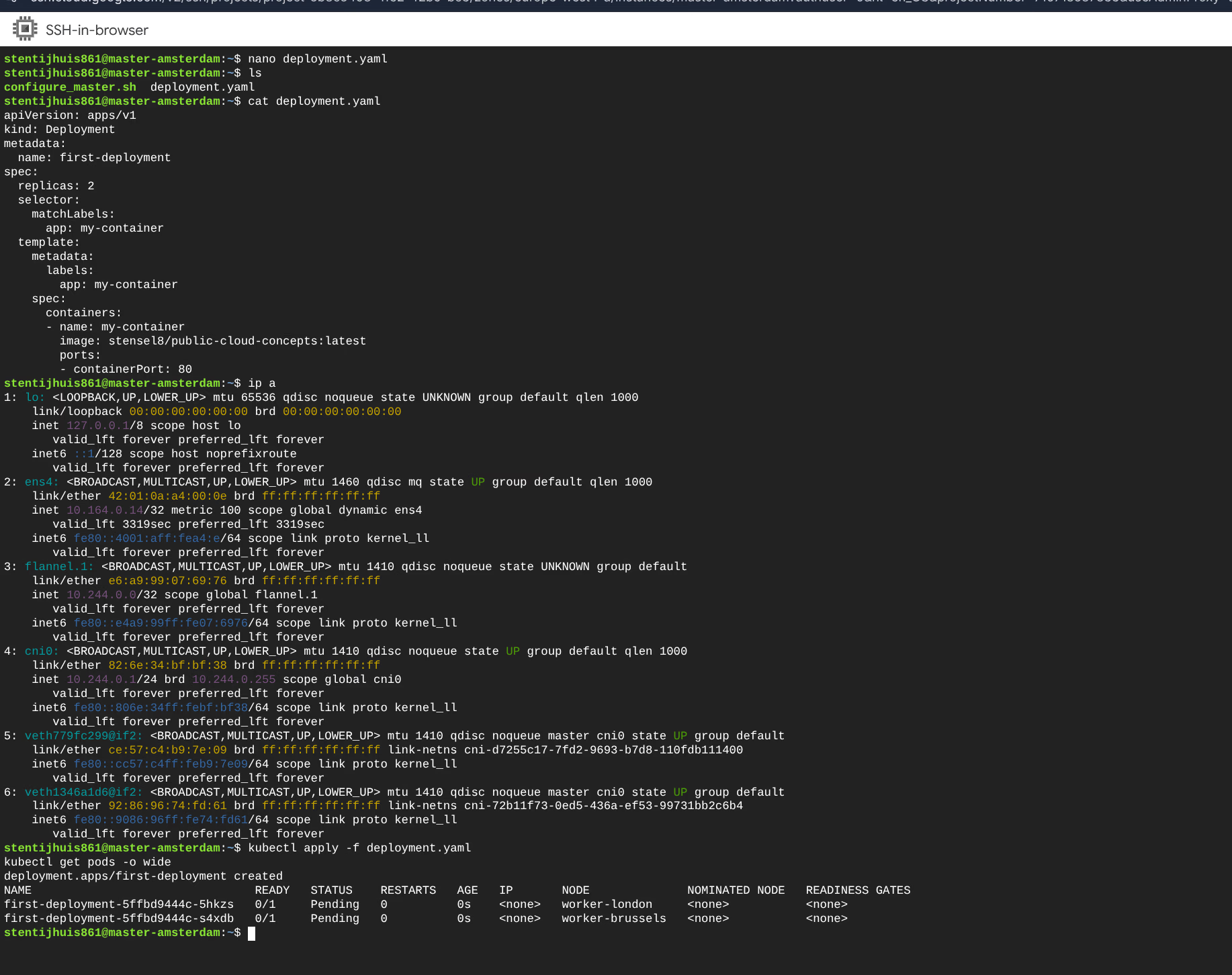
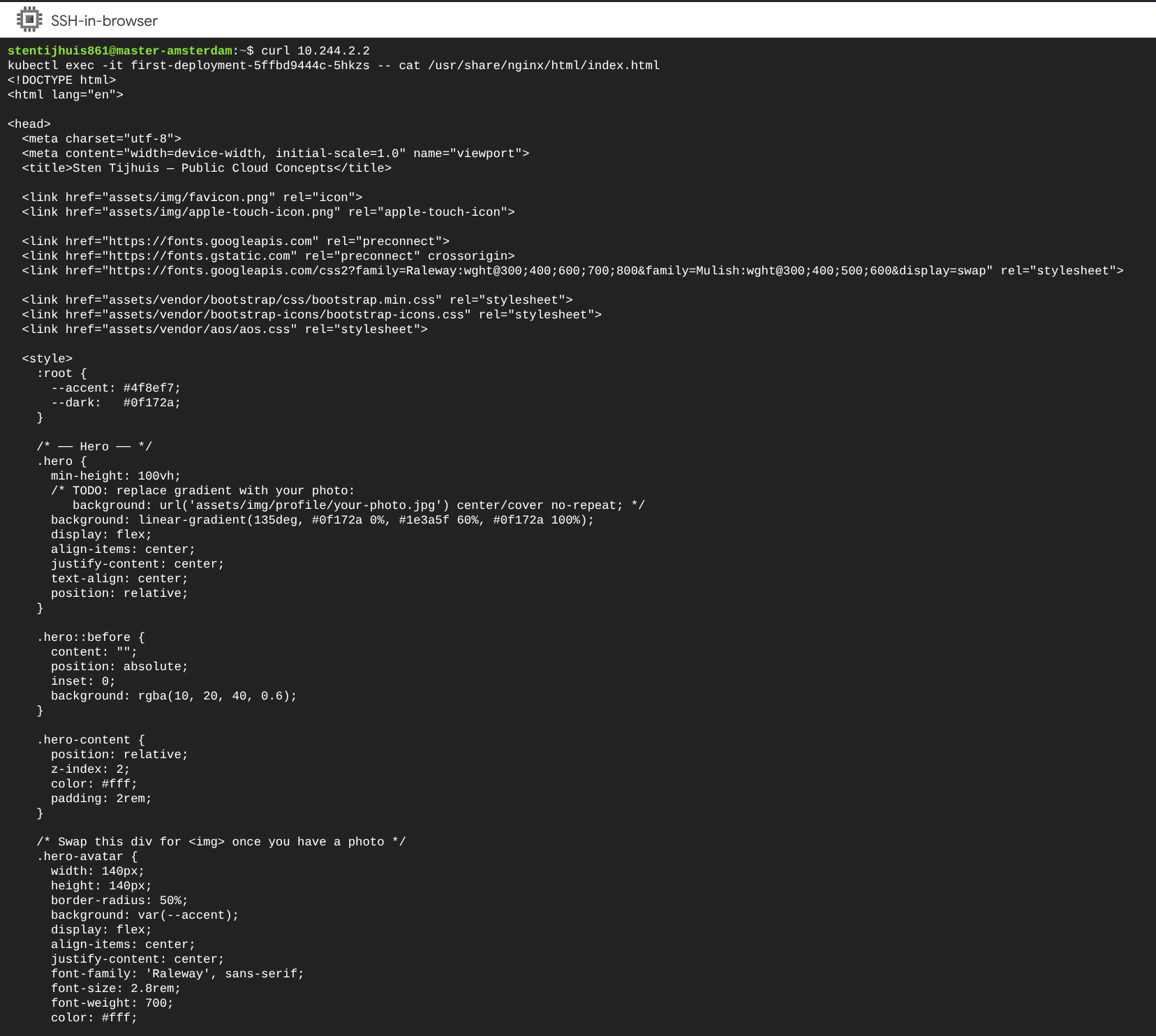
The response confirms that the nginx container is running and serving the static site via the internal Flannel IP. External access requires a Kubernetes Service (Week 2).