Solution

1.1 Google Cloud & GKE - Completed Badges
Completed badges via Google Skills:



1.2 Kubernetes
Assignment 1 - Cluster Installation
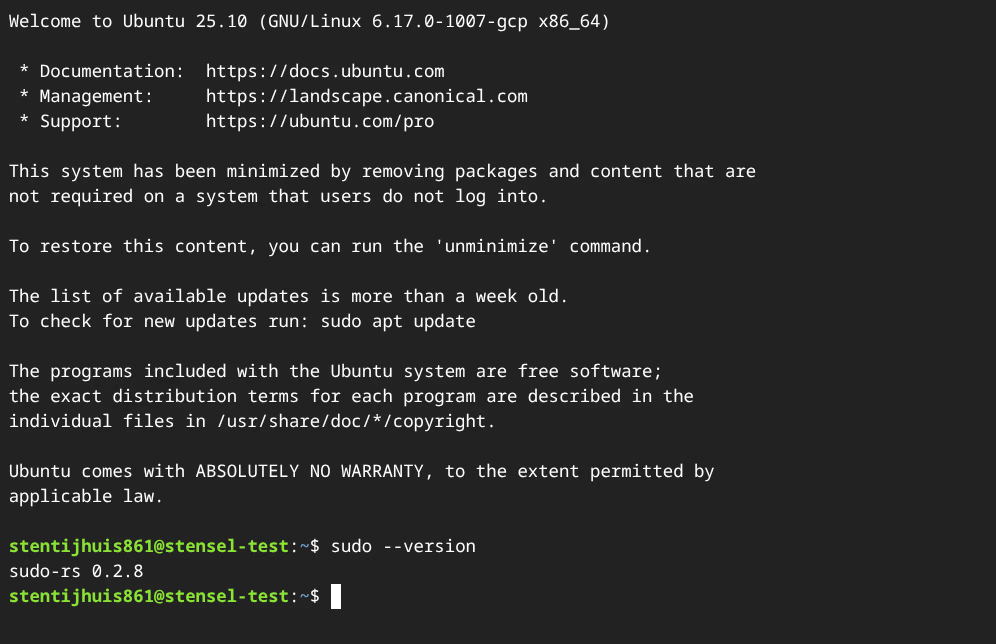
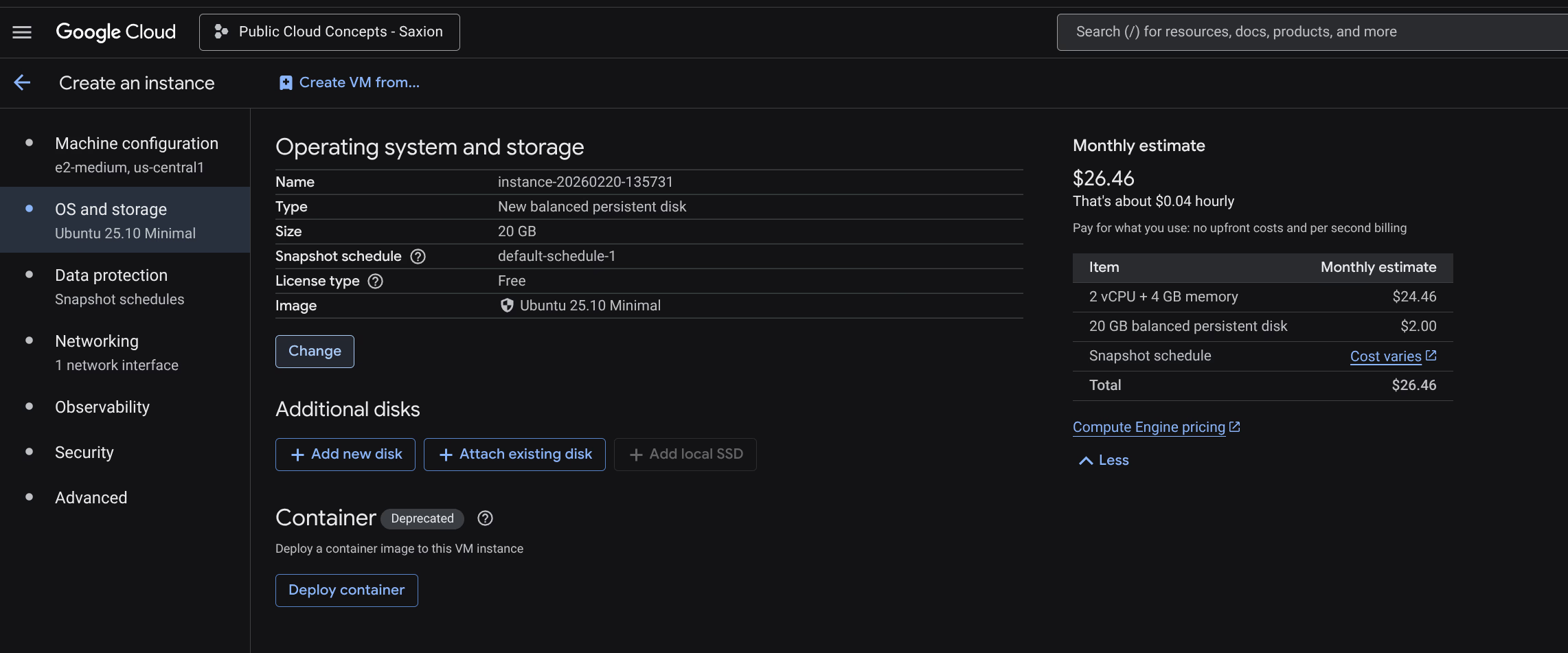
The assignment specifies Ubuntu 24.04 LTS minimal. I used Ubuntu 25.10 LTS minimal.
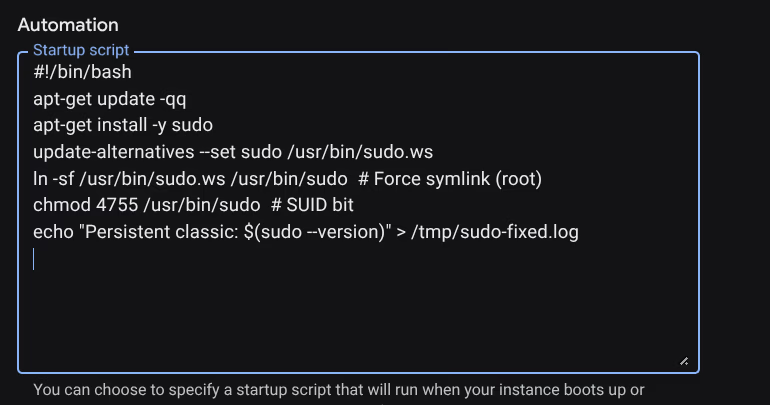
Ubuntu 25.10 ships with sudo-rs (a Rust reimplementation of sudo) version 0.2.8 by default. This version has a known session bug where sudo reboot fails with an unexpected error. Solved via a GCP startup script that installs classic sudo on every boot.

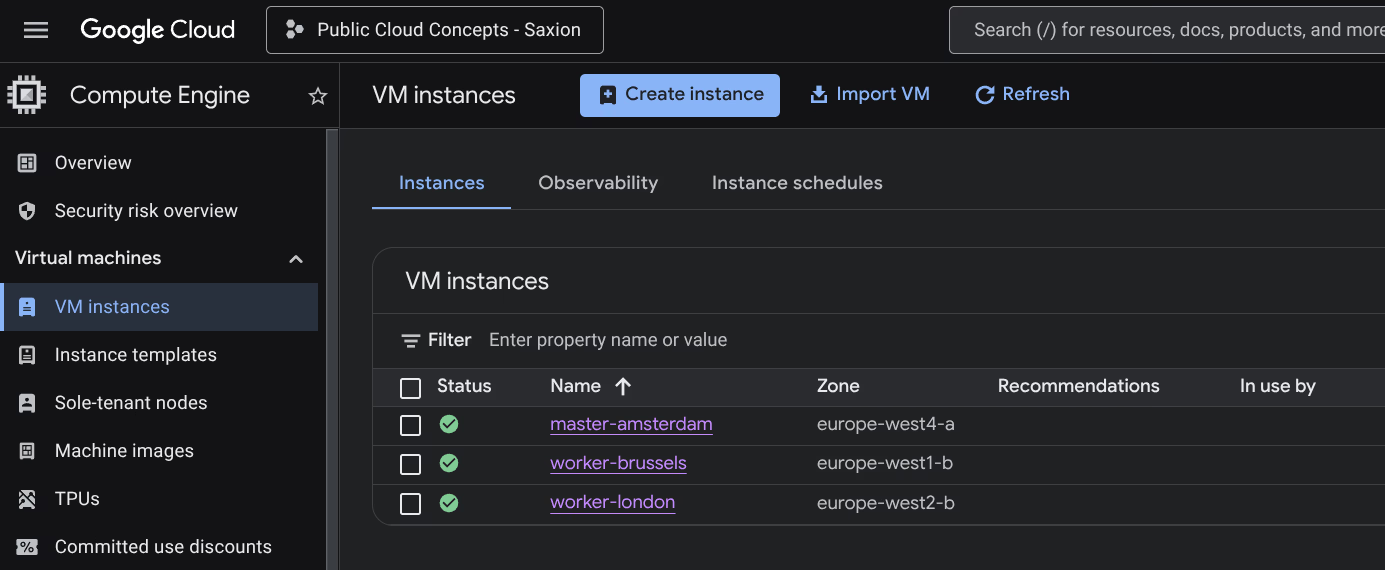
Instances used:
| Node | Name | Zone | Type | OS |
|---|---|---|---|---|
| Master | master-amsterdam | europe-west4-a (Netherlands) | e2-medium | Ubuntu 25.10 LTS minimal |
| Worker 1 | worker-brussels | europe-west1-b (Belgium) | e2-medium | Ubuntu 25.10 LTS minimal |
| Worker 2 | worker-london | europe-west2-b (United Kingdom) | e2-medium | Ubuntu 25.10 LTS minimal |
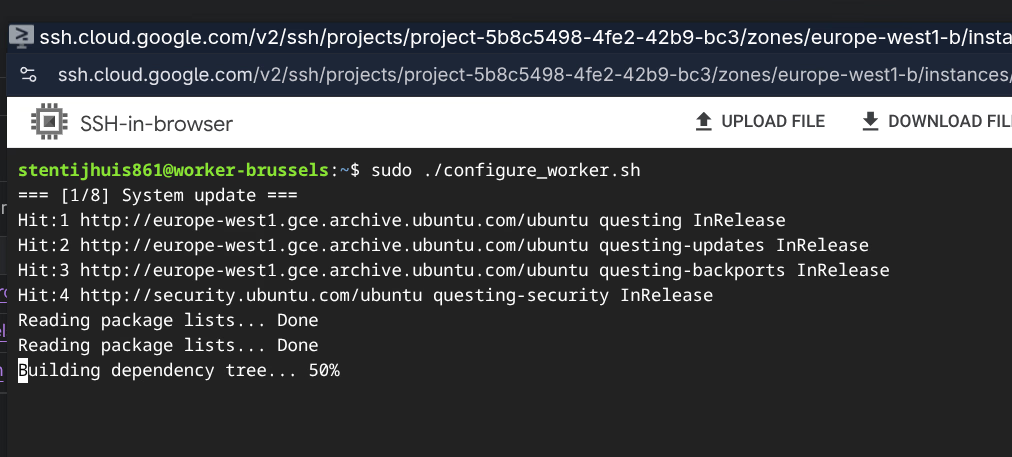
The cluster was installed with two shell scripts: configure_master.sh for the master node and configure_worker.sh for the worker nodes. These scripts automate kernel module configuration, installing containerd, Kubernetes package installation (v1.35), and cluster initialisation.

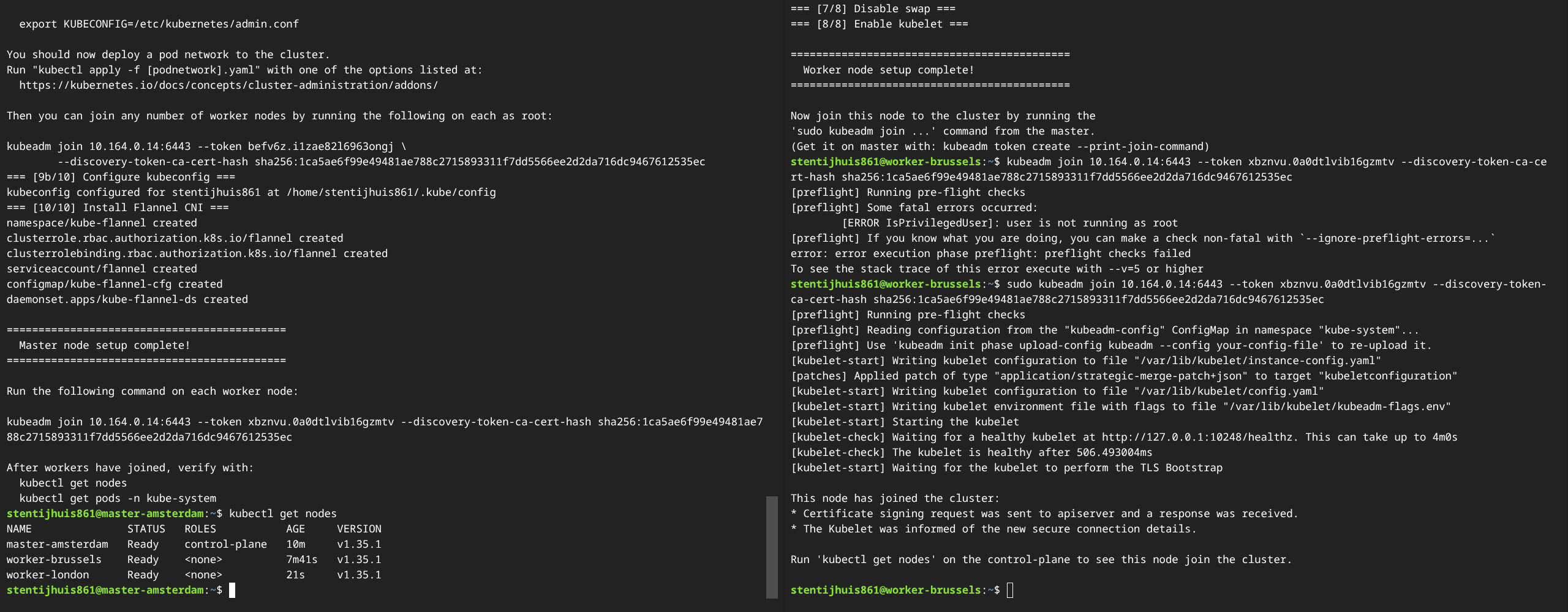
Explanation of kubeadm init:
kubeadm init sets up the Kubernetes control plane on the master node. It generates TLS certificates, writes kubeconfig files, creates static Pod manifests for core components (kube-apiserver, kube-controller-manager, kube-scheduler, etcd), and generates a bootstrap token for worker nodes.
Explanation of kubectl apply -f kube-flannel.yml:
Installs Flannel as the CNI plugin. Flannel creates a VXLAN overlay network that gives each pod a unique IP, so pods on different nodes can communicate directly. The CIDR 10.244.0.0/16 must match the --pod-network-cidr of kubeadm init.
Other network CNIs:
| CNI | Description |
|---|---|
| Flannel | Simple L3 overlay network via VXLAN. No network policy support. |
| Calico | BGP routing with full NetworkPolicy support. Widely used in production. |
| Cilium | eBPF-based CNI with advanced observability and security. |
| Weave Net | Mesh overlay network, simple installation, supports NetworkPolicy. |
| Canal | Combines Flannel (networking) with Calico (network policy). |
1a - kubectl get nodes:
NAME               STATUS   ROLES           AGE    VERSION
worker-brussels    Ready    <none>          14m    v1.35.1
worker-london      Ready    <none>          7m     v1.35.1
master-amsterdam   Ready    control-plane   17m    v1.35.1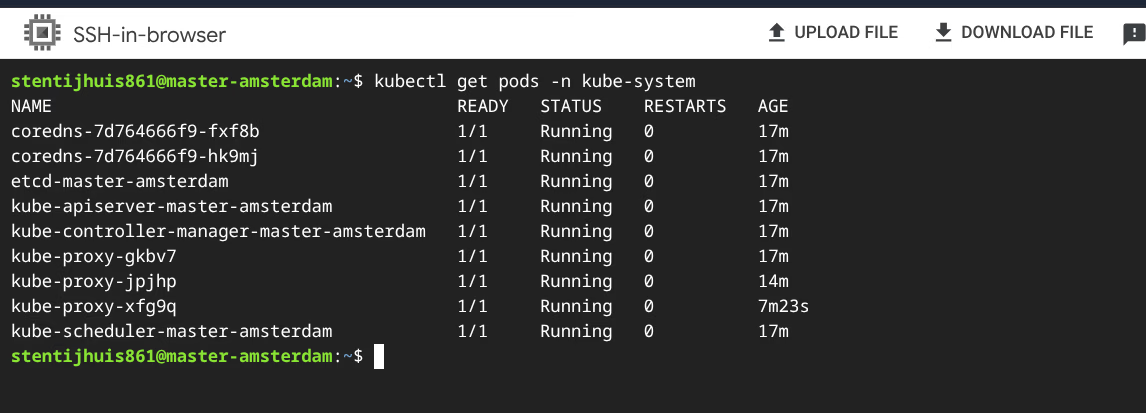
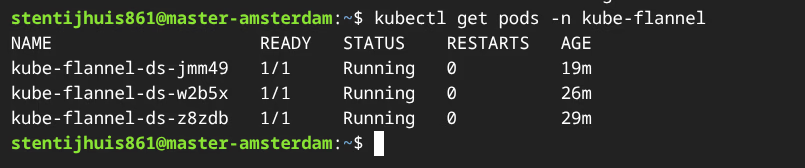
Explanation of the kube-system pods:
| Pod | Role |
|---|---|
kube-apiserver | Front-end of the control plane. All kubectl commands and internal components go through this REST API. Master only. |
kube-controller-manager | Runs all controller loops: correct number of pod replicas, node lifecycle, certificate rotation. Master only. |
kube-scheduler | Watches for unscheduled pods and assigns them to a suitable node. Master only. |
etcd | Distributed key-value store holding the complete cluster state. Master only. |
kube-proxy | Manages iptables/nftables rules so Service IPs route correctly to pods. One pod per node. |
coredns | Cluster-internal DNS. Two replicas for redundancy. |
Assignment 2 - Containerised Application
Dockerfile: (view on GitHub)
A Dockerfile is a text file with instructions that Docker executes step by step to build an image. Each instruction creates a layer in the image. Docker can cache layers: if an instruction has not changed, Docker reuses the cached layer and does not re-run that step. This makes builds faster.
The Dockerfile for this application works as follows:
FROM nginx:alpine
COPY . /usr/share/nginx/html
FROM nginx:alpine
This is the base of the image. nginx:alpine is the official nginx web server on Alpine Linux. Alpine is a minimal Linux distribution of around 5 MB, compared to roughly 180 MB for the Debian variant. Smaller means a smaller attack surface: fewer packages on the system that could contain vulnerabilities. For a web server that only serves static files, Alpine is more than sufficient.
COPY . /usr/share/nginx/html
Copies all files from the current directory (so index.html and any other assets) to the nginx document root. This is the directory nginx looks in by default when a request comes in. That way nginx does not need to be configured and the static site runs immediately.
nginx starts automatically in the foreground when the container starts, because that is built into the nginx:alpine image. This keeps the container running as long as nginx is running.
GitHub Actions workflow:
The workflow (ci_week1.yml) builds and pushes the image as stensel8/public-cloud-concepts:latest on every push to main.
deployment.yaml: (view on GitHub)
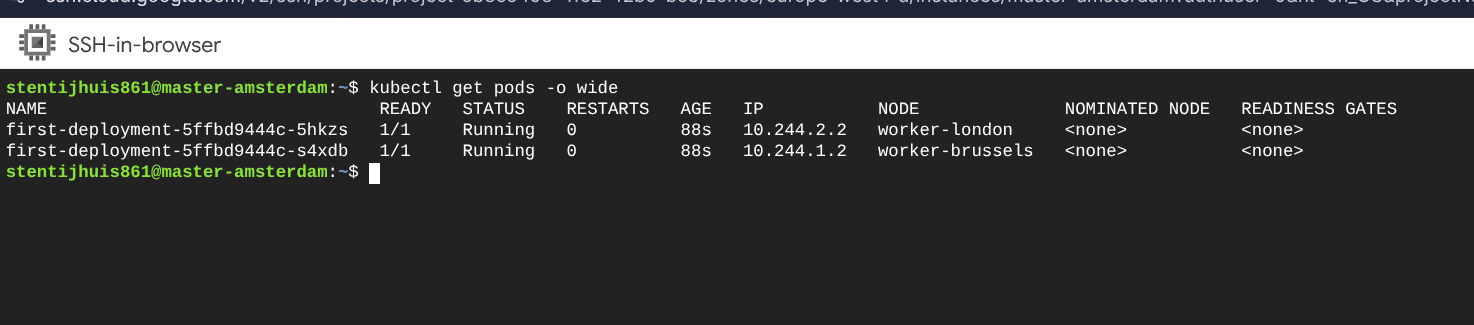
2b - Pod IPs:
NAME                               IP           NODE
first-deployment-5ffbd9444c-5hkzs  10.244.2.2   worker-london
first-deployment-5ffbd9444c-s4xdb  10.244.1.2   worker-brussels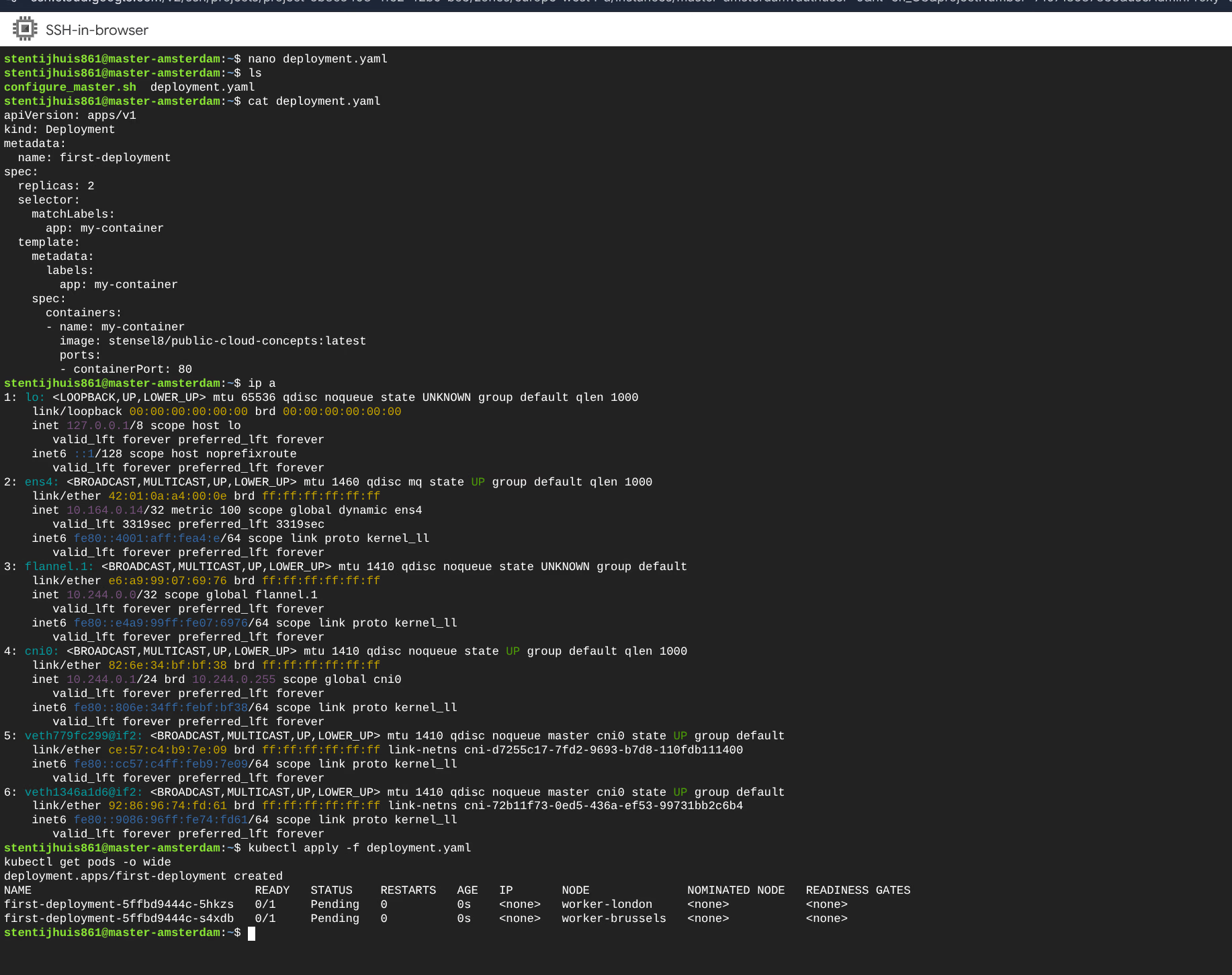
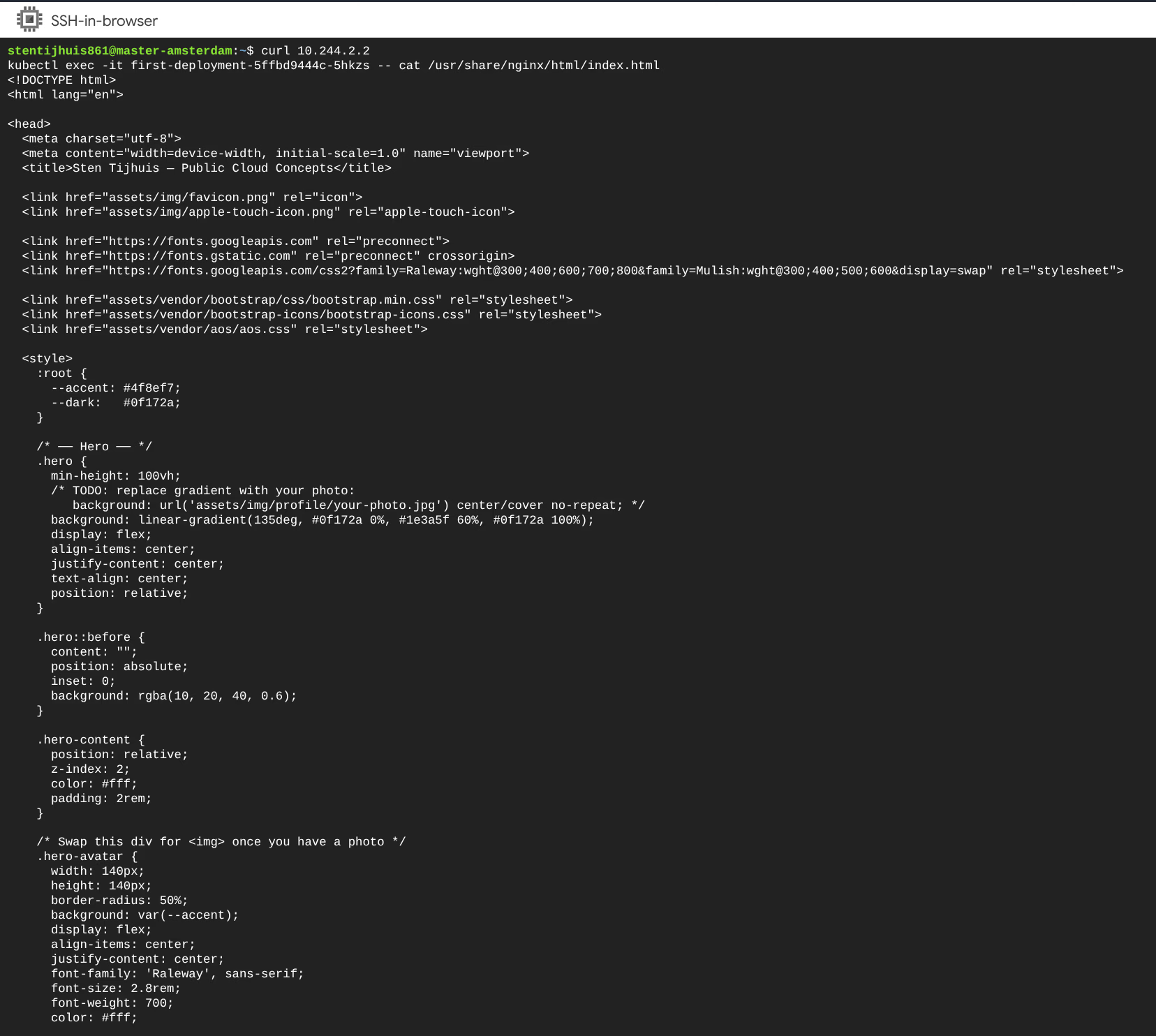
The response confirms that the nginx container is running and serving the static site via the internal Flannel IP. External access requires a Kubernetes Service (Week 2).