Solution
Week 6 covers splitting a monolithic application into microservices on GKE, and adding an API Gateway as an access layer.
6.1 Microservices on GKE
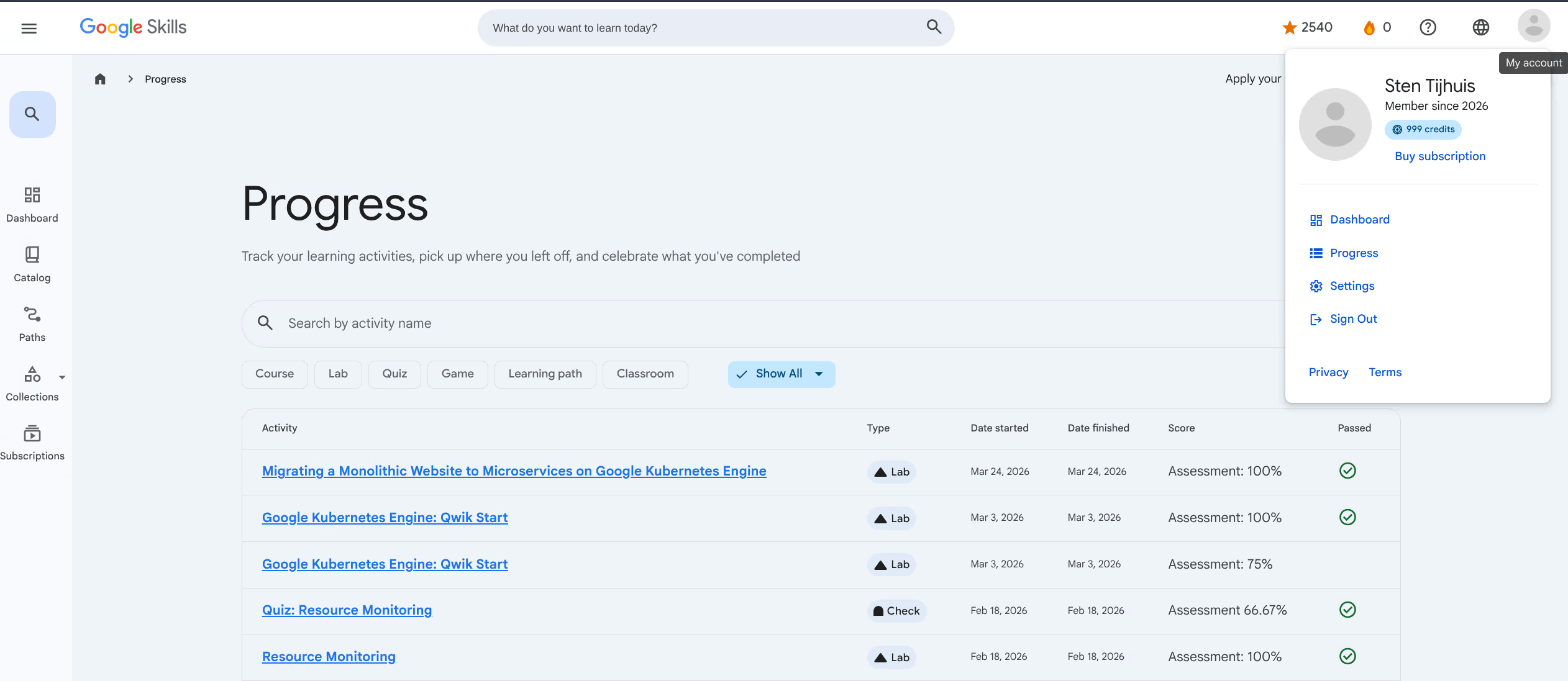
The lab Migrating a Monolithic Website to Microservices on Google Kubernetes Engine was successfully completed with a score of 100%.
The lab starts with a webshop running as a single large container. In three steps it gets split into separate services on Kubernetes. First the orders module is extracted as its own Deployment, then the products module, and finally the frontend. By the end the monolith no longer exists and the three services scale completely independently. They find each other internally via the cluster DNS.
Adding an API Gateway
Without an API Gateway, each microservice has its own external IP address via a LoadBalancer Service. That works, but it is not ideal: clients need to know where each service lives, authentication has to be configured per service, and TLS is separate per service as well.
An API Gateway solves this by acting as a single entry point. All requests arrive at the gateway, which forwards them to the right service. The services themselves become ClusterIP instead of LoadBalancer, so they are no longer directly reachable from outside.
Via Secure traffic to a service with Google Cloud Console the setup works as follows. You create an OpenAPI definition describing the routes and specifying which backend each path forwards to. You upload that file as an API config, and then create the gateway that uses it.
gcloud api-gateway api-configs create week6-config \
  --api=week6-api \
  --openapi-spec=openapi.yaml \
  --project=<project-id>

gcloud api-gateway gateways create week6-gateway \
  --api=week6-api \
  --api-config=week6-config \
  --location=europe-west4 \
  --project=<project-id>
Authentication is enabled by adding a securityDefinitions block to the OpenAPI definition. If someone sends a request without a valid API Key, the gateway immediately returns a 403 before the request even reaches the services.
The main advantage is that you now have one place for everything related to access control. Adding a new service? Add a route to the OpenAPI definition and deploy a new config. Clients notice nothing because the gateway URL stays the same.
6.2 API Gateway: recommendations
When should you use an API Gateway?
An API Gateway adds complexity. That is only worth it when you actually gain something from it. With a single service and a few endpoints, a Gateway is overkill: you can simply expose the service directly via a LoadBalancer or Ingress.
The Gateway becomes useful when:
- You have multiple microservices that you want to expose via one URL
- You want to handle authentication or rate limiting in one place, not per service
- You want to shield external clients (mobile apps, third-party integrations) from internal service structure
- You want to be able to swap backend implementations without clients noticing
What belongs in the Gateway, what belongs in the service?
| Responsibility | Where |
|---|---|
| Authentication (API keys, JWT, OAuth) | Gateway |
| Rate limiting | Gateway |
| Request routing based on path or hostname | Gateway |
| Business logic | Service itself |
| Database access | Service itself |
| Caching of heavy queries | Service or separate cache layer |
The rule of thumb: anything related to access control and routing belongs in the Gateway. Anything the application does belongs in the service.
Recommendation for the monolith-to-microservices migration
For the monolith from the lab (orders, products, frontend) I would use the following structure:
- All three services get a
ClusterIP, they are not directly reachable from outside. - The API Gateway is the only external entry point. Routes:
/api/ordersto the orders service/api/productsto the products service/to the frontend
- Require API keys for the orders and products API. The frontend is public.
- Set rate limiting on the orders route so external parties cannot overload the database.
This gives you the flexibility to replace or split a service later without existing clients noticing anything. They keep using the same gateway URL.