Solution
Week 7 focuses on serverless computing via AWS: a REST API with API Gateway and Lambda, and event-driven architectures.
7.1 REST API via API Gateway
Petstore via AWS API Gateway (importing from example)
The first part of the assignment uses the example REST API that AWS provides: a simple Petstore. You import it via the AWS Console under API Gateway > Create API > REST API > Import from example.
After importing, an API is ready with two resources: /pets and /pets/{petId}.
POST: adding a pet
Sending a POST request via HTTPie to the Invoke URL:
POST /pets
Content-Type: application/json

{
  "type": "dog",
  "price": 249.99
}
The API returns an ID:
{
  "pet": {
    "id": 42,
    "type": "dog",
    "price": 249.99
  },
  "message": "Your pet dog has been adopted."
}
GET: retrieving the pet by ID
GET /pets/42Returns the previously added pet.
This works right away without extra configuration, because the Petstore API uses a mock integration. API Gateway returns a hardcoded response without any real backend involved. This is useful for quickly testing an API structure before building the backend.
Advice on the Petstore architecture
The Petstore as delivered by AWS is a mock: there is no real database, memory is volatile, and after every new deploy the pets are gone. This is useful as a demo, but not if you want to build a real application.
How would you make this production-ready?
| Part | Mock (default) | Production recommendation |
|---|---|---|
| Backend | Hardcoded mock responses in API Gateway | Lambda function as integration type |
| Storage | None, everything is temporary | DynamoDB table for pets (key: petId) |
| ID generation | Static in the mock | Lambda generates a UUID |
| Authentication | None | API Key or Cognito User Pool |
| Error handling | No 404 on unknown ID | Lambda checks if pet exists, returns 404 |
Recommended setup with Lambda and DynamoDB:
- The POST
/petscall triggers a Lambda that saves the pet in DynamoDB with a generated ID. - The GET
/pets/{petId}call triggers a Lambda that fetches the pet by ID. If the pet does not exist, Lambda returns a404with a clear error message. - API Gateway handles authentication via an API Key: clients must include a valid key in the
x-api-keyheader.
Method and integration
In API Gateway the method is the client-facing contract (HTTP verb, path, auth and validation). The integration is the backend mapping: where API Gateway forwards the request (HTTP endpoint, Lambda, AWS service) and how responses are transformed back to the client.
Method: the client-facing side
- Which HTTP verb and path the client calls (for example
POST /pets) - Which authentication is required (API Key, IAM, Cognito, or none)
- Request validation (query params, headers, body schema)
- Which HTTP status codes the client may receive
Integration: the backend side
- Where the request is sent (HTTP, Lambda, AWS service, mock)
- How the request is transformed before sending (integration request mapping)
- How the backend response is mapped back to the client (integration response mapping)
These responsibilities are configured separately: you can secure the method while the integration calls a Lambda, or use a mock integration during development.
Lambda as backend
Via the lab Build an API Gateway REST API with Lambda integration:
- Create a Lambda function (
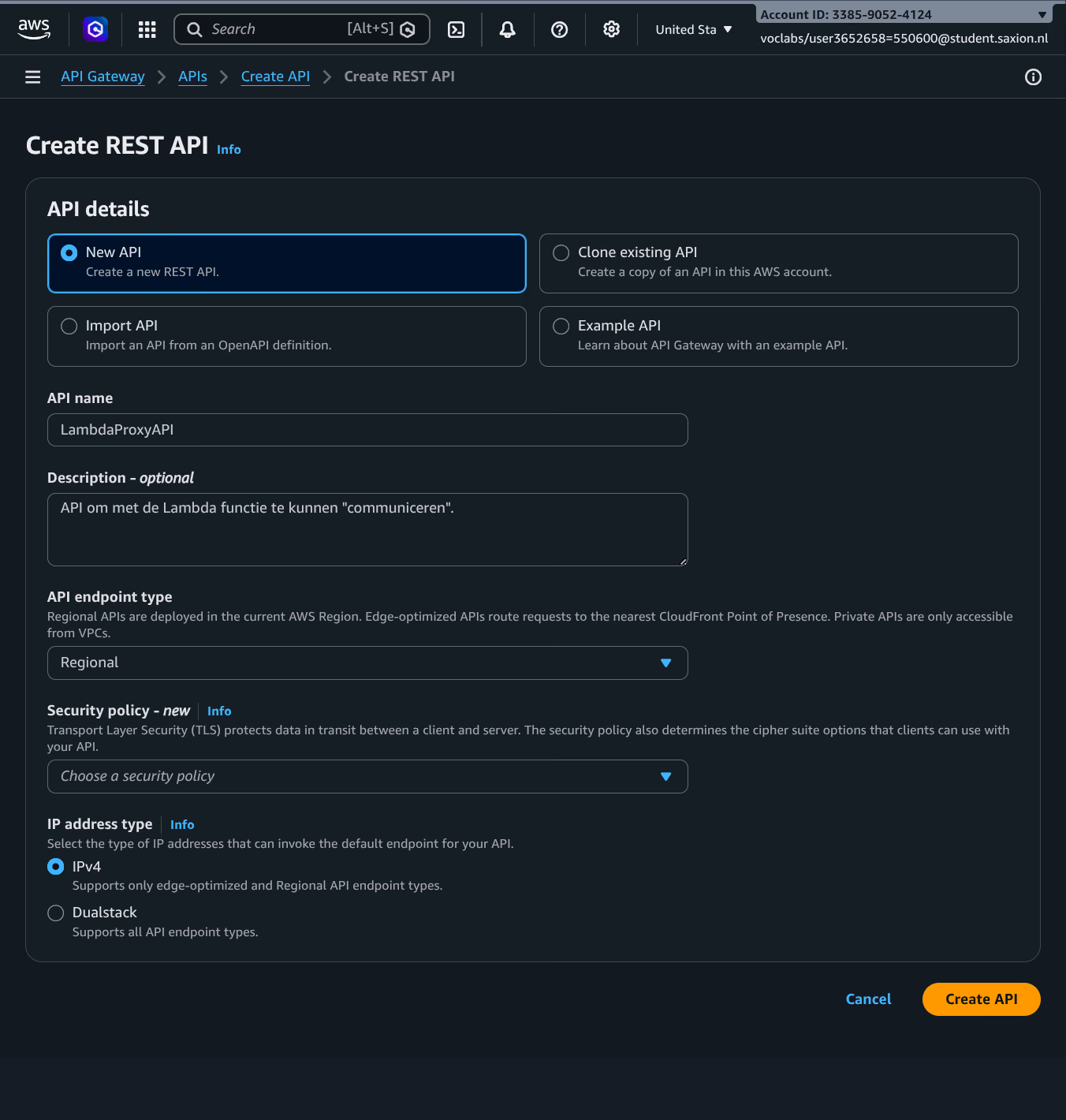
GetStartedLambdaProxyIntegration) with Python runtime. - Create a new REST API in API Gateway.
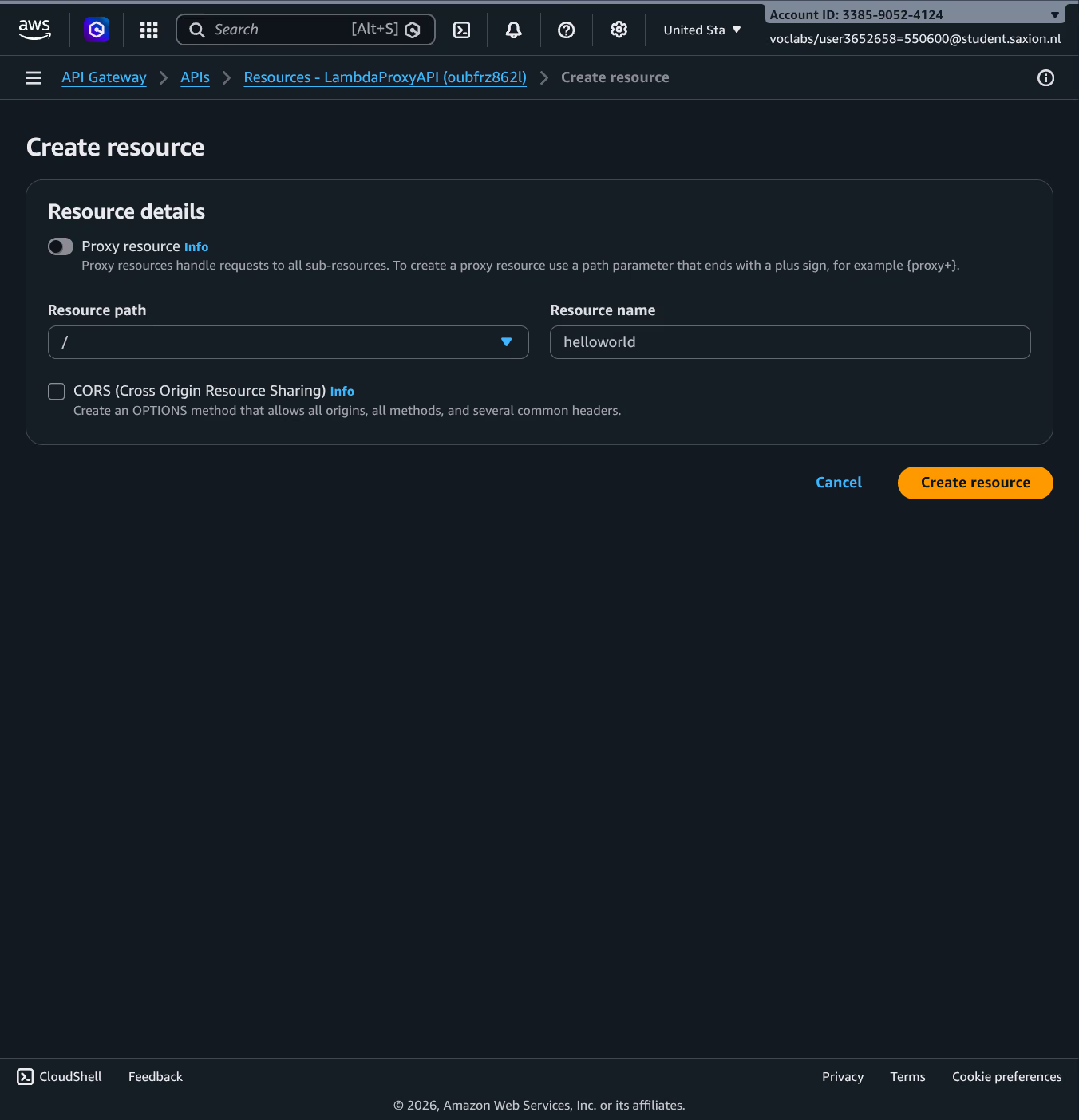
- Add a resource (
/helloworld) with anANYmethod. - Choose Lambda Function as the integration type, enable Lambda Proxy Integration, and select the Lambda function.
- Deploy to a stage.
Lambda receives a proxy event from API Gateway and returns a structured object:
{
  "statusCode": 200,
  "headers": { "Content-Type": "application/json" },
  "body": "{\"message\": \"Hello Sten\"}"
}
With Lambda Proxy Integration, API Gateway forwards the full HTTP request as JSON to Lambda (method, headers, query parameters, body). Lambda is responsible for the full response including the statusCode. Without proxy integration, you can use mapping templates to transform requests and responses, but that requires more configuration.
Creating the Lambda function
In the AWS Learner Lab it was not possible to create a new IAM role. This is a standard student restriction; the solution was to use the existing LabRole, which already has the necessary permissions for Lambda and API Gateway.
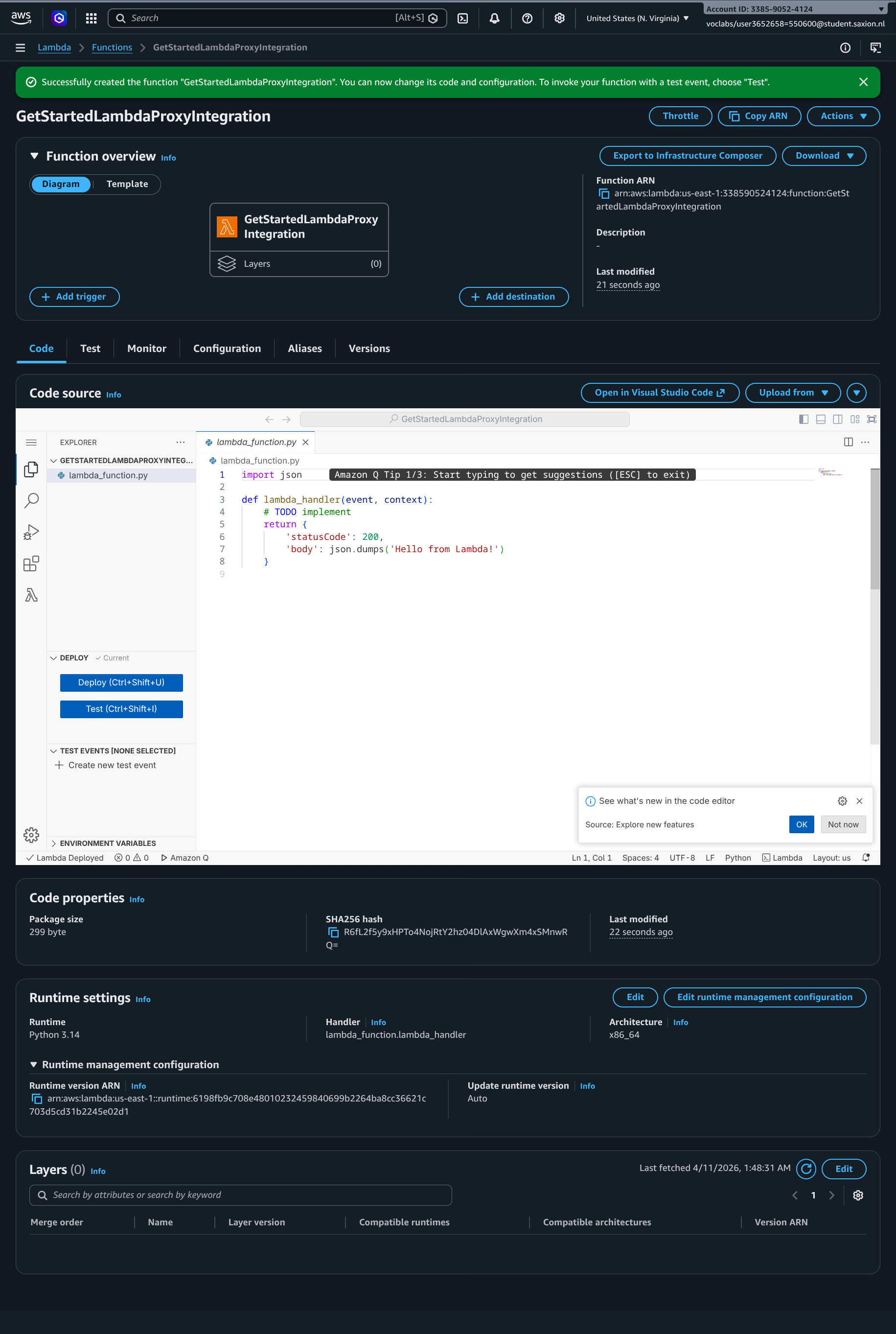
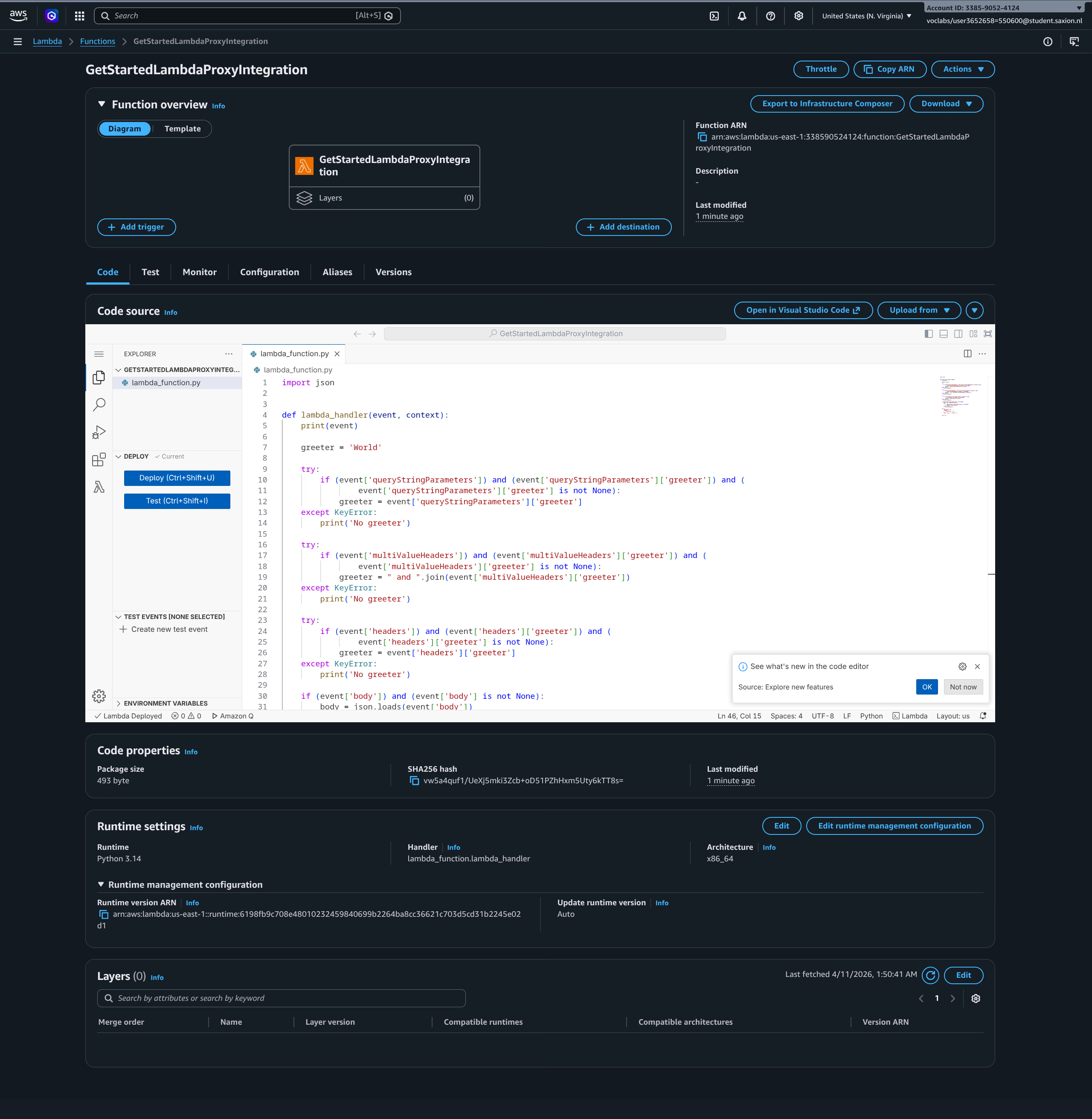
The sample code from the AWS documentation was pasted in and deployed:
Configuring API Gateway
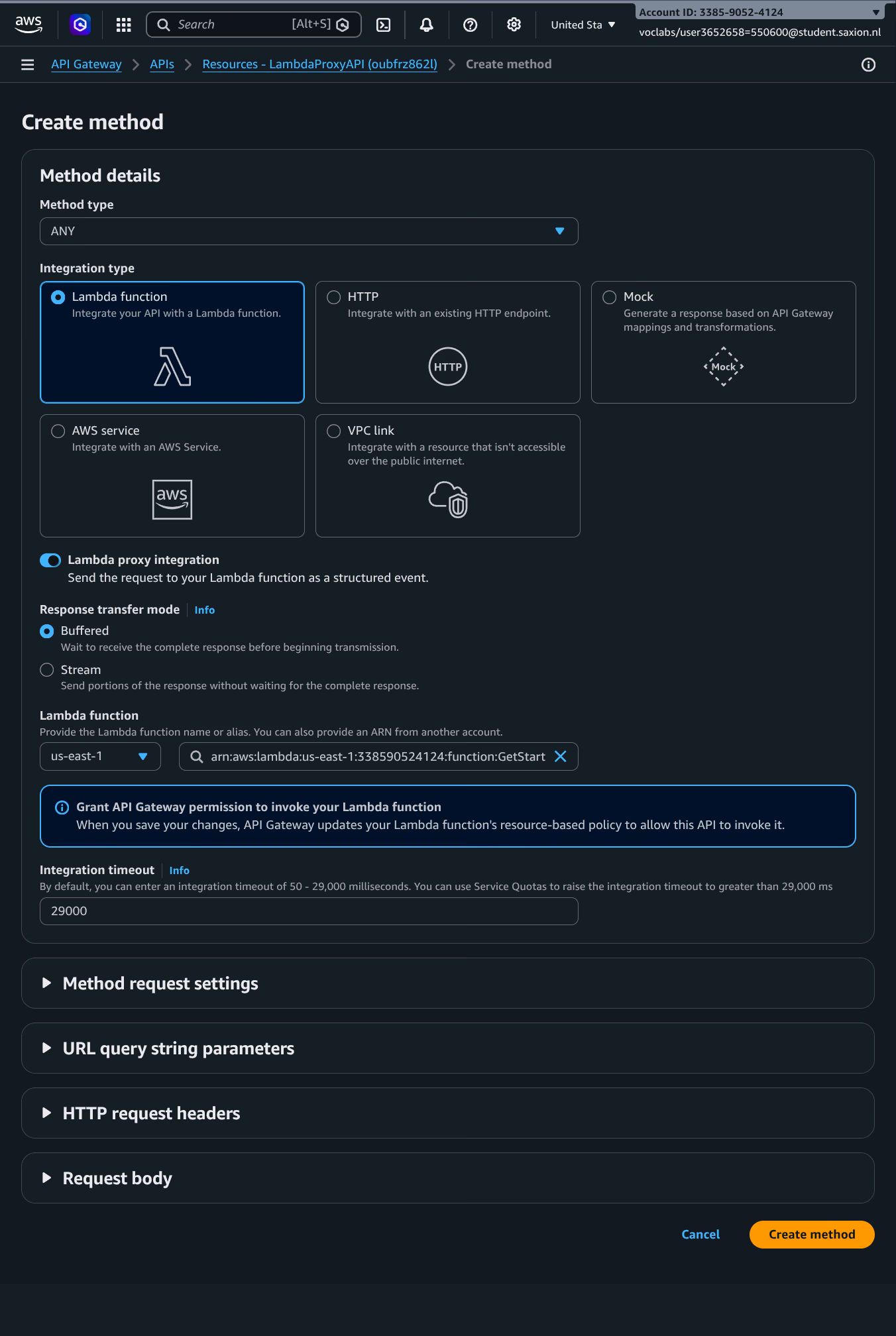
REST API created, resource /helloworld added, and the method configured with Lambda Proxy Integration:
Deploying
API deployed to a new stage named test:
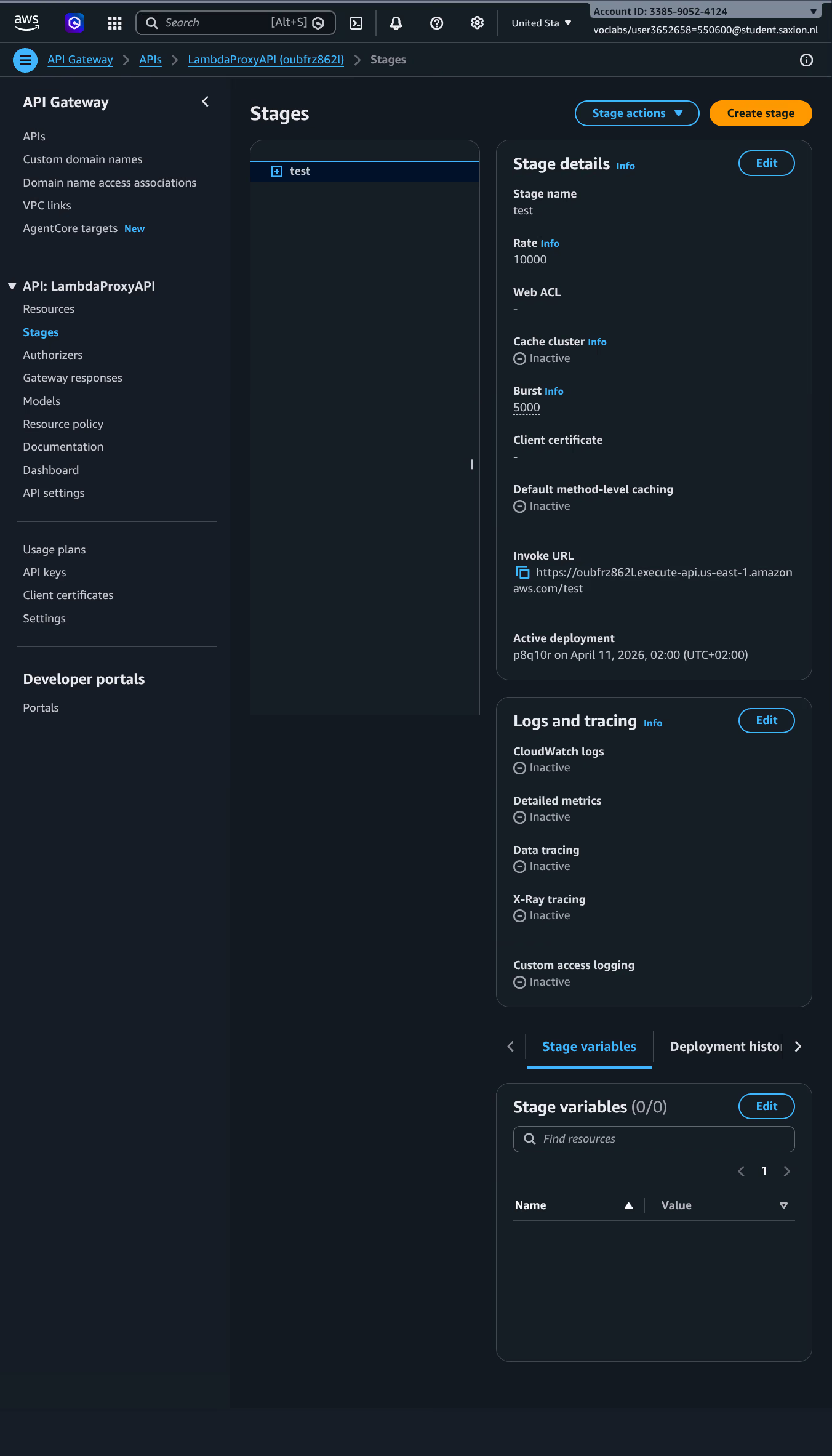
The Invoke URL was: https://oubfrz862l.execute-api.us-east-1.amazonaws.com/test
Testing with HTTPie
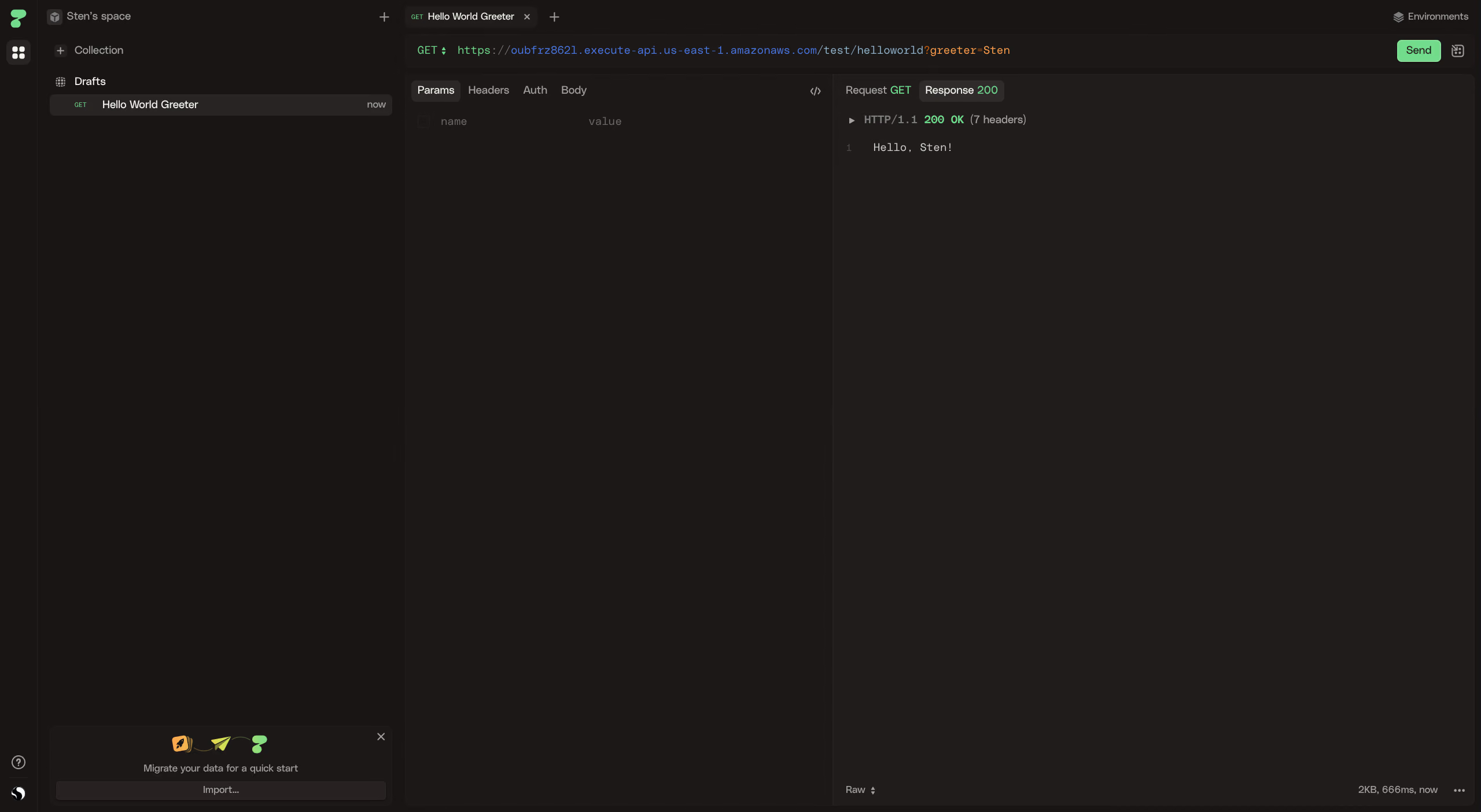
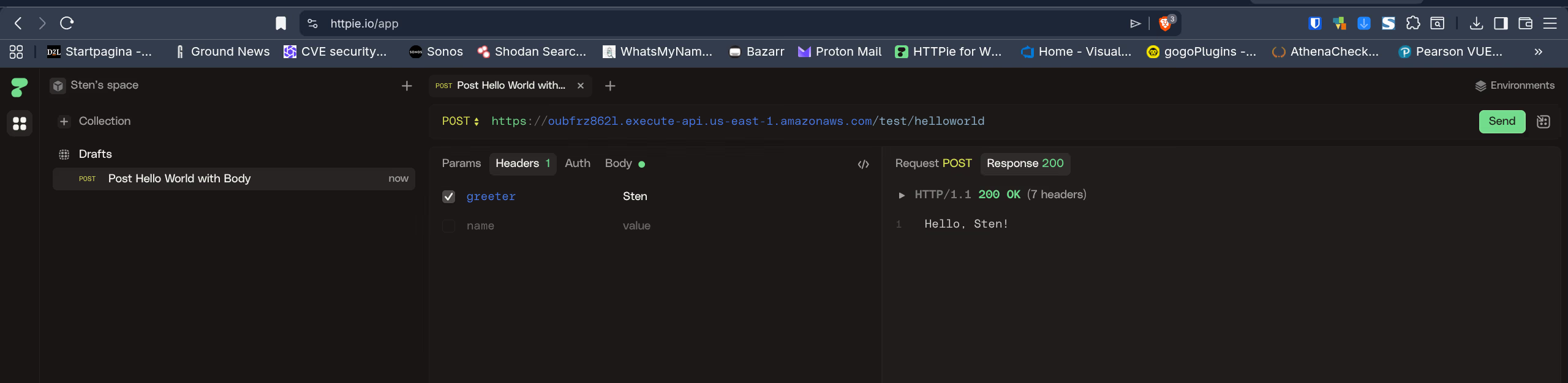
For testing I used HTTPie instead of Postman. The Lambda function accepts three variants for the greeter value: via query parameter, via a header, or via a JSON body. All three should return Hello, {name}!.
Option 1: query parameter
Worked immediately:
Options 2 and 3: header and POST body
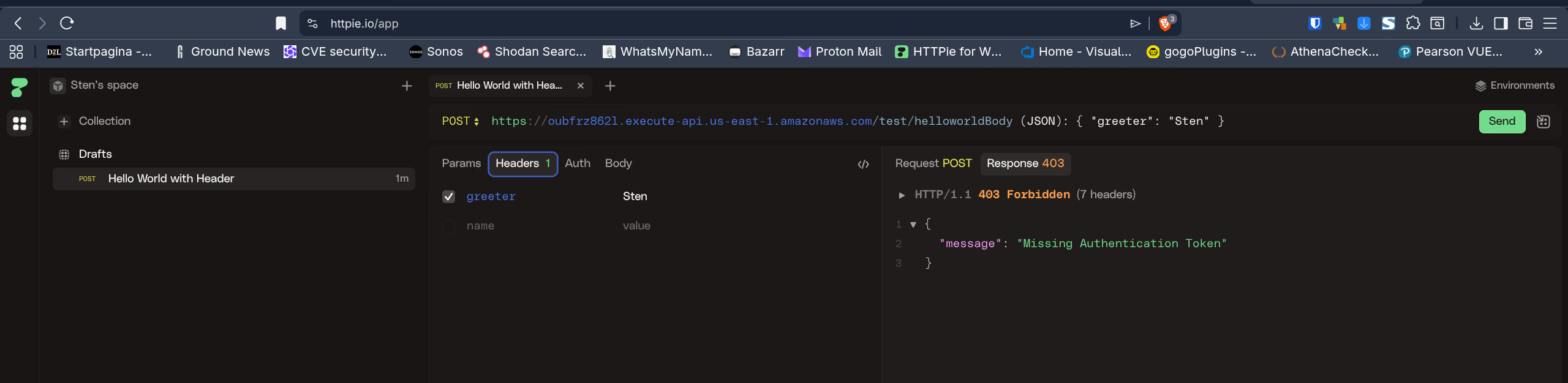
On the first attempt API Gateway returned a 403 Forbidden with the message “Missing Authentication Token”. In API Gateway this error often appears when a route is not recognised or the request is not correctly structured.
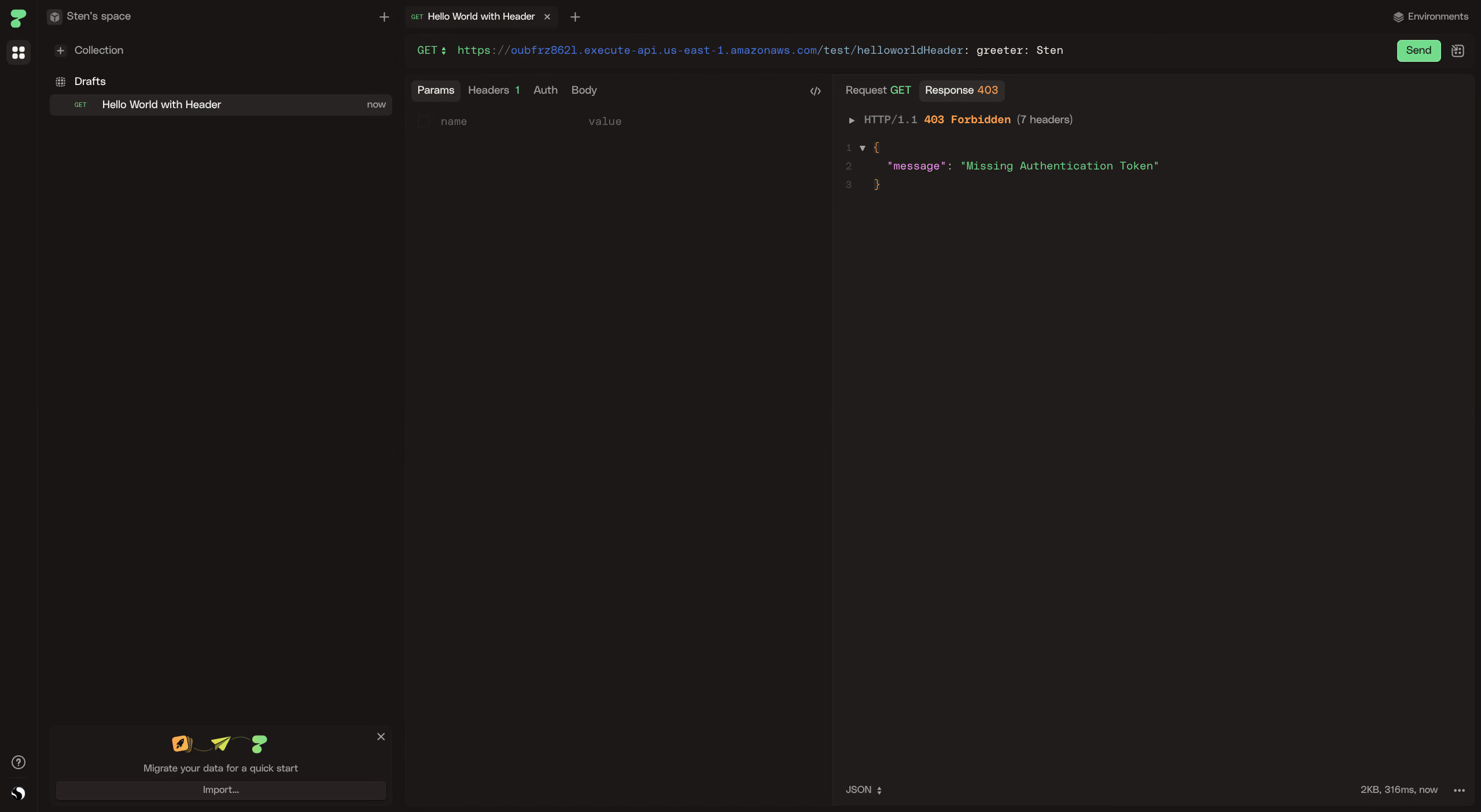
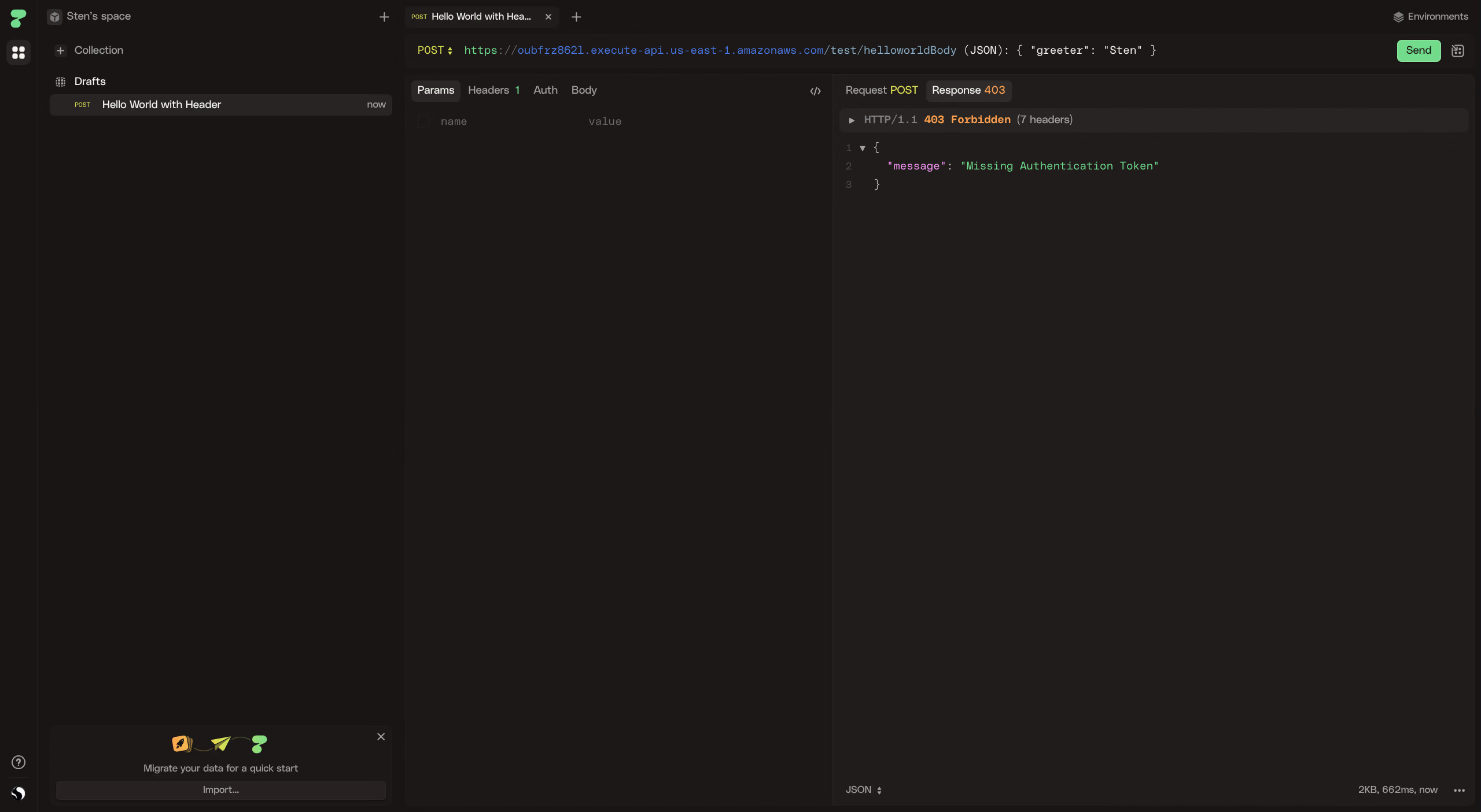
After closer inspection it turned out to be a typo: the header value did not exactly match what Lambda expected. After correcting it both worked:
7.2 Event-driven architectures
Serverless and event-driven
Serverless computing and event-driven architectures are closely related: serverless functions do not run continuously, but are triggered by an event.
A traditional server actively waits for requests (polling or an open connection). A serverless function does not exist until an event occurs; the cloud provider instantiates the function when needed and removes it afterwards. This makes serverless inherently event-driven.
What events trigger a Lambda function?
| Event source | Example |
|---|---|
| HTTP request | API Gateway (POST /pets) |
| Message | SQS queue, SNS topic |
| File upload | S3 PUT object |
| Schedule | EventBridge Scheduler (cron) |
| Database change | DynamoDB Streams |
| Another Lambda | Direct invocation |
In all cases the same pattern applies: something happens, a function responds. That is the essence of event-driven architectures. The functions are stateless, loosely coupled, and scale automatically with the number of events.
Petstore with event-driven architecture
How would you host the Petstore using an event-driven architecture and stay informed when a new pet is added?
In an event-driven Petstore the system reacts to events rather than continuously waiting for requests. Adding a pet is the event that sets the rest of the system in motion.
High-level flow:
- A client sends
POST /petsto API Gateway. - API Gateway triggers a Lambda function.
- The Lambda saves the pet to DynamoDB and then publishes a message to an SNS topic.
- SNS forwards that message to all subscribers: an email address, an SQS queue, another Lambda, or a webhook.
Client -> API Gateway -> Lambda -> DynamoDB
                               -> SNS -> email / SQS / webhook
Design decision 1: SNS for notifications
For notifications I would use Amazon SNS. SNS delivers a message to all subscribers at once: when a new pet is added, an email address, an SQS queue, and a webhook all receive it simultaneously. That is useful when multiple systems need to know about the same event.
After each successful write to DynamoDB, the Lambda publishes a message to an SNS topic.
Design decision 2: DynamoDB Streams for further processing
On top of that, you would enable DynamoDB Streams on the pets table. Every write to the table automatically generates a stream event. A second Lambda listens to that stream and can process the data further, for example updating statistics or logging to CloudWatch.
The difference from SNS: Streams work at the database level. Even if the first Lambda forgets to publish, the stream Lambda still catches the event. The two mechanisms complement each other:
| SNS in Lambda | DynamoDB Streams | |
|---|---|---|
| Trigger | Manually called from the Lambda | Automatically on every write to DynamoDB |
| Use case | Notifications to external subscribers | Further internal processing |
| Reliability | Depends on whether the Lambda calls it | Always active, independent of Lambda logic |
Result: By combining API Gateway, Lambda, DynamoDB, SNS, and DynamoDB Streams you build a fully event-driven Petstore where every new pet automatically sends a notification and triggers further processing, without any polling or persistent connections.